

One approval queue
See who has submitted, who has not, and what needs a second look, for the whole firm.
Review every submitted timesheet in one queue, fix what needs fixing, and approve, before hours reach invoices or payroll.
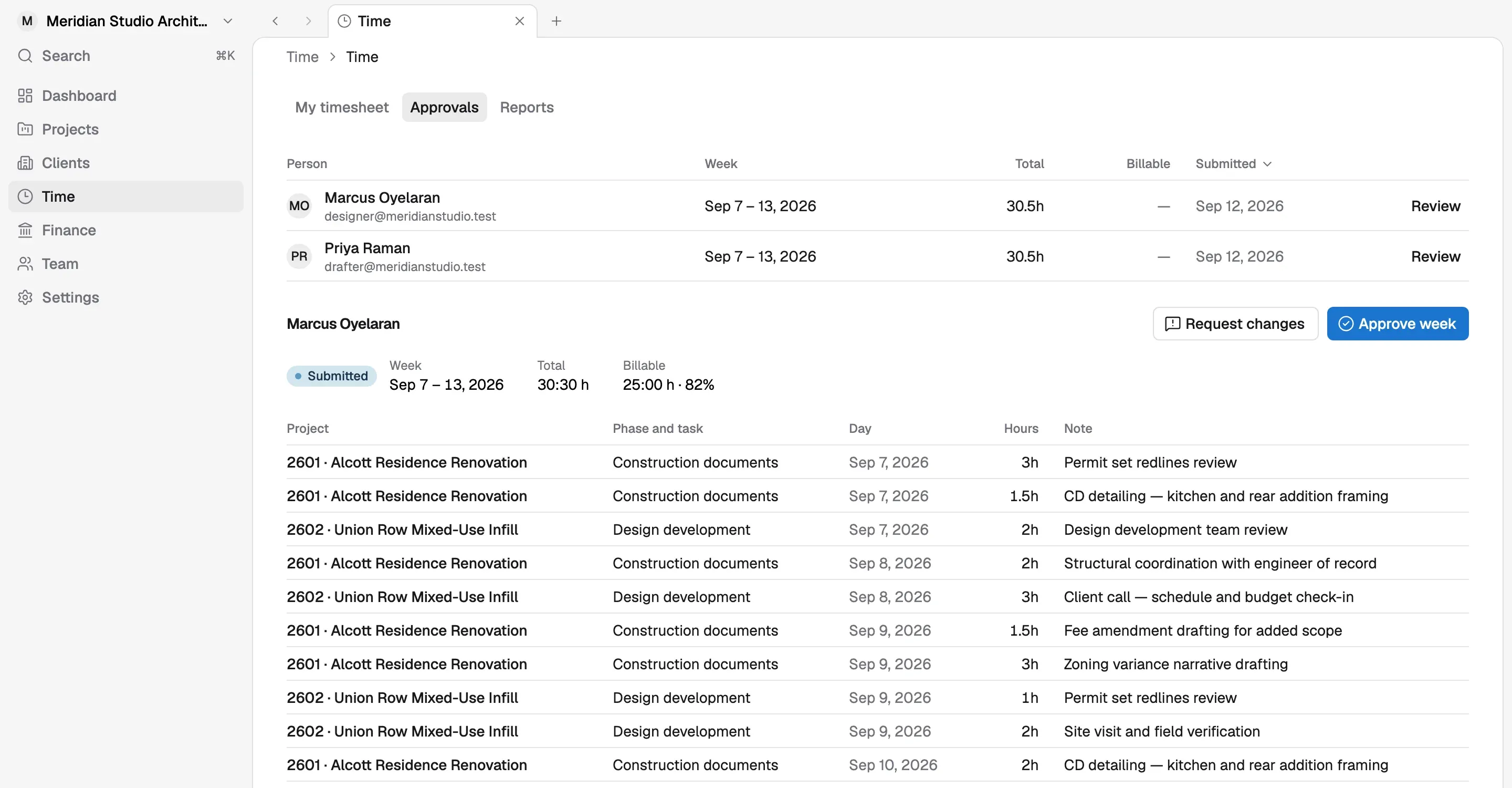
See who has submitted, who has not, and what needs a second look, for the whole firm.
Hours only reach payroll and invoices once they are approved, so mistakes stay small.
Missing timesheets are obvious at a glance, so chasing them takes one message, not ten.
When someone submits their week, it lands in a single approval queue. The approver sees hours by project and phase, fixes anything that looks off, and approves. The queue also shows who has not submitted yet, so the only follow-up needed is a quick message to the people still missing.
Approved hours are the ones Korrit uses everywhere else. They update phase budgets, become billable time on invoices, and feed payroll for hourly staff and overtime. Catching a wrong project or a mistyped day in the queue is a two-minute fix. Catching it after a client has been billed, or after someone has been paid, means credit notes and awkward conversations.
Reviewing the week in one pass also gives principals a regular look at where the firm’s time actually went, project by project and phase by phase.
A fast weekly timesheet by project and phase. Every hour logged feeds budgets, invoices, and payroll automatically.
Learn morePay your team from approved timesheets and compensation already in Korrit. Direct deposit and payroll taxes are handled, so you are not learning HR software.
Learn moreSee who is on each project, what role they play, and where the firm has room, before you commit to the next deadline.
Learn moreArchitects should be designing, not learning payroll or chasing receipts. Every Korrit feature shares the same projects, people, and numbers.