

Budgets by phase
Every phase carries its own fee and budget, set once from the proposal.
Fees, hours, and costs are tracked against each phase as the work happens, so you can act before a project goes over, not after.
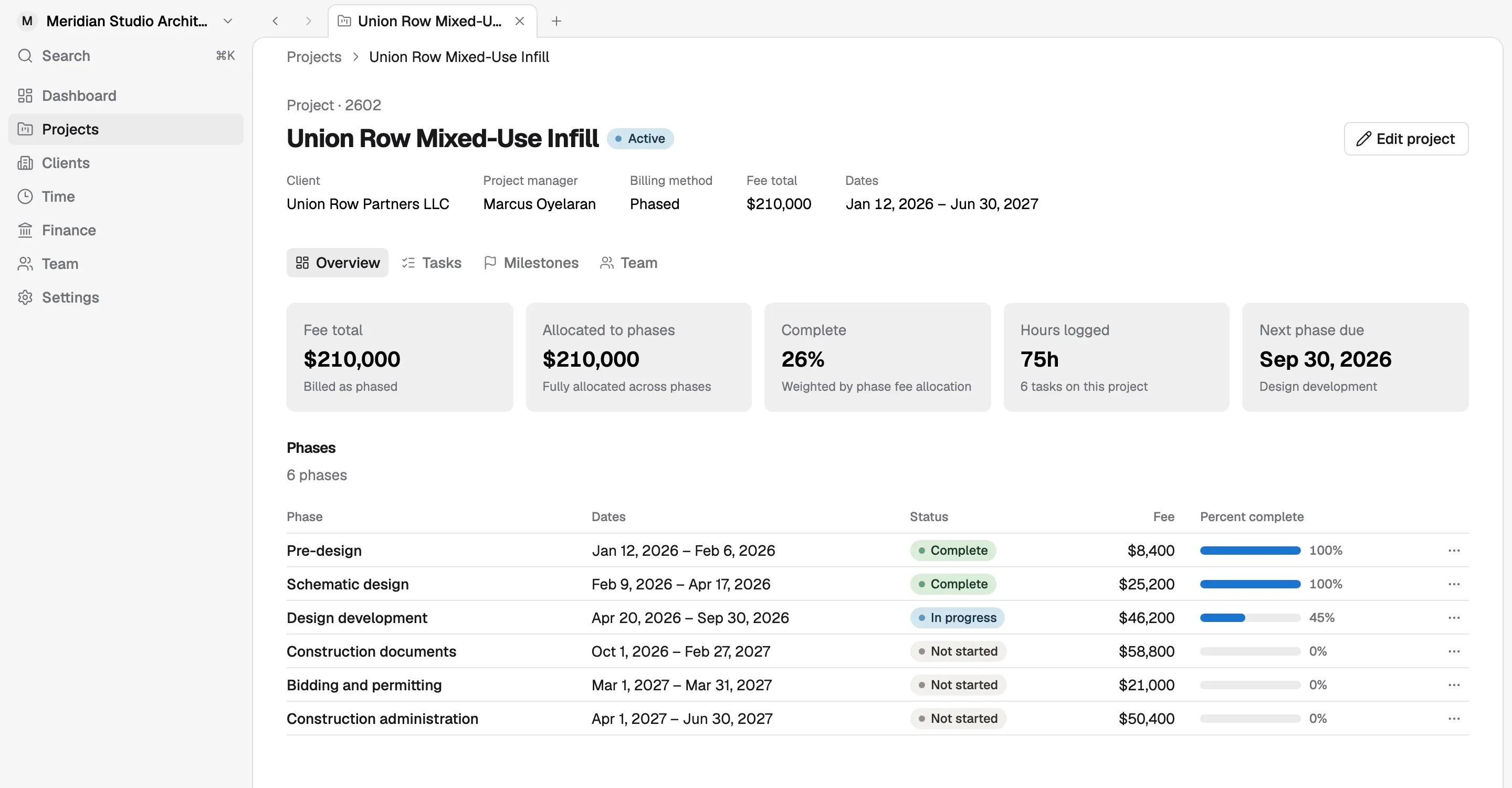
Every phase carries its own fee and budget, set once from the proposal.
Logged hours and costs update the budget live, with no month-end reconciliation.
Compare what you billed with what it cost, per project and across the firm.
Each phase budget is set from the agreed fee proposal, so the number the team tracks against is the number the client signed. There is no second spreadsheet to keep in step with the contract.
As approved hours and project costs come in, they are counted against the phase they belong to. That shows how much of each phase fee has been spent next to how far the phase has progressed. Overall project completion is weighted by phase fee, so a nearly finished schematic design phase does not make a large construction documents phase look further along than it is.
When a phase is burning faster than it is progressing, you see it while there is still time to adjust staffing, talk to the client about scope, or plan the next phase differently. Across projects, comparing what was billed with what the work cost shows which kinds of projects are profitable for your firm.
Organize every project around the phases and milestones architects actually work in, with the team, tasks, and budget attached.
Learn moreBill by phase, percent complete, or approved hours. Korrit already knows what was done, so invoicing stops being a monthly project.
Learn moreProjects needing attention, open work, and firm finances update as your team works, so nobody spends a day building a report.
Learn moreArchitects should be designing, not learning payroll or chasing receipts. Every Korrit feature shares the same projects, people, and numbers.