

A week in one screen
Log hours by project and phase in a simple weekly grid. It takes minutes, not a Friday afternoon.
A fast weekly timesheet by project and phase. Every hour logged feeds budgets, invoices, and payroll automatically.
Log hours by project and phase in a simple weekly grid. It takes minutes, not a Friday afternoon.
Billable time flows into invoicing, so nothing billable is left behind.
Approved hours feed payroll directly, including hourly staff and overtime.
Each person fills in one weekly grid. Every row is a project and a phase, such as schematic design, design development, construction documents, or construction administration, and every column is a day. Hours go in against the phase the work belongs to, so a morning on permit drawings and an afternoon on site observation land in different rows instead of one lump total.
When the week is done, the timesheet is submitted for approval. Until then it can be edited as often as needed.
Most architecture fees are not a simple hourly rate. On a fixed fee, each phase carries a set amount, and the hours logged against that phase tell you whether the fee is holding or quietly being spent. On hourly work, the logged hours are what you bill, so they need to sit on the right project and phase. On a fee set as a percentage of construction cost, the fee is split across phases, and phase hours show how much effort each share of the fee is actually taking.
Time logged only by project hides all of this. Time logged by phase shows that construction documents are running long while there is still room to talk to the client or adjust the team.
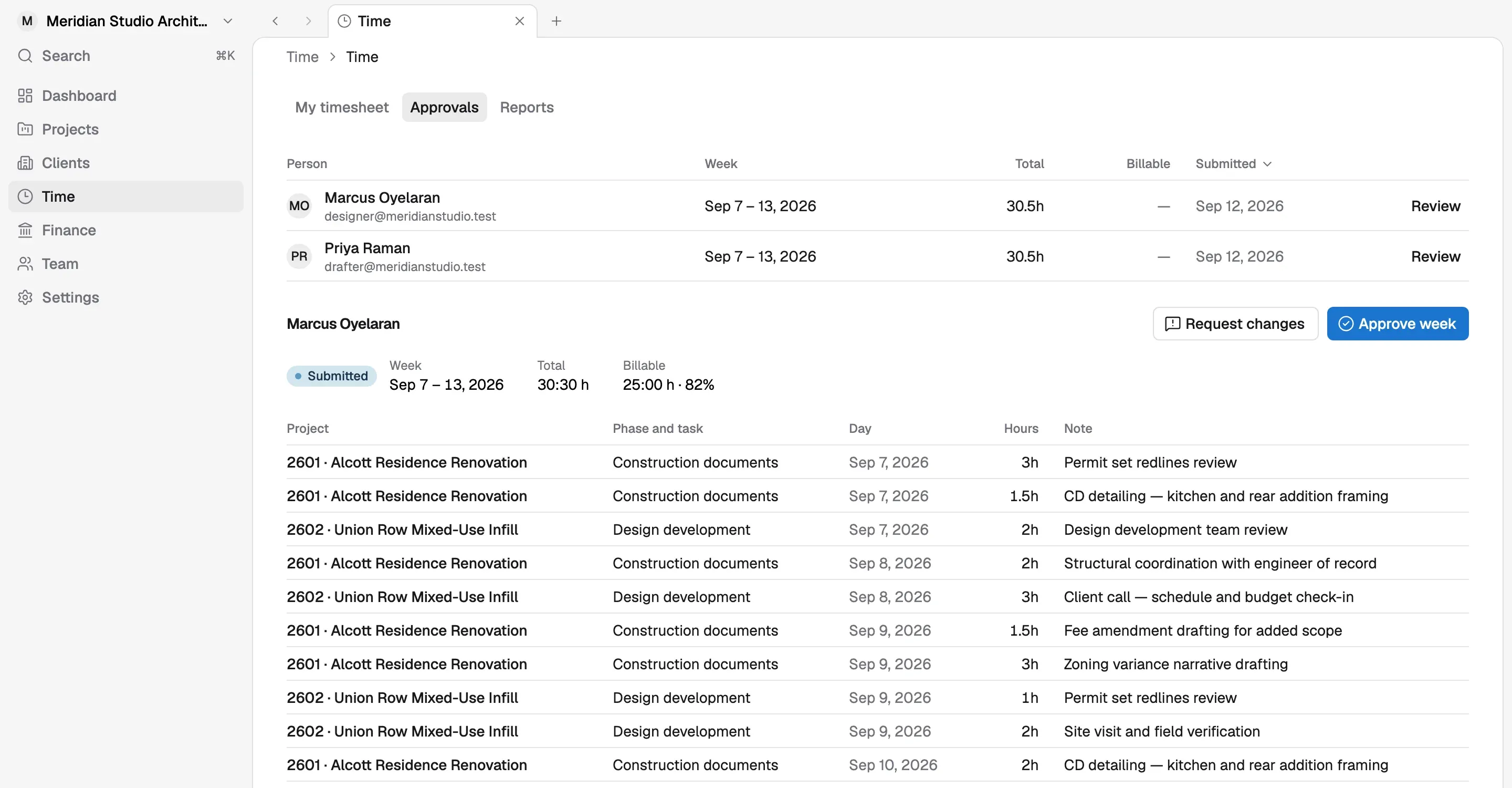
Submitted hours go to the timesheet approval queue. Once approved, the same hours update the project budget for that phase, become billable time that invoicing pulls in, and feed payroll for hourly staff and overtime. Nobody copies hours from one system into another, so the number on the invoice and the number on the paycheck come from the same entry.
Yes. On the Studio plan, a firm can require a note on every time entry. It is a small rule that saves a lot of guesswork later: when a client asks what twelve hours of design development covered, or a principal reviews why a phase went over, the answer is written next to the hours instead of reconstructed from memory.
Review every submitted timesheet in one queue, fix what needs fixing, and approve, before hours reach invoices or payroll.
Learn morePay your team from approved timesheets and compensation already in Korrit. Direct deposit and payroll taxes are handled, so you are not learning HR software.
Learn moreBill by phase, percent complete, or approved hours. Korrit already knows what was done, so invoicing stops being a monthly project.
Learn moreArchitects should be designing, not learning payroll or chasing receipts. Every Korrit feature shares the same projects, people, and numbers.