
Bill the way you scope
Fixed fee by phase, percent complete, hourly, or reimbursables, on the same invoice.
Bill by phase, percent complete, or approved hours. Korrit already knows what was done, so invoicing stops being a monthly project.
Fixed fee by phase, percent complete, hourly, or reimbursables, on the same invoice.
Approved hours and expenses are pulled in automatically, so nothing billable slips through.
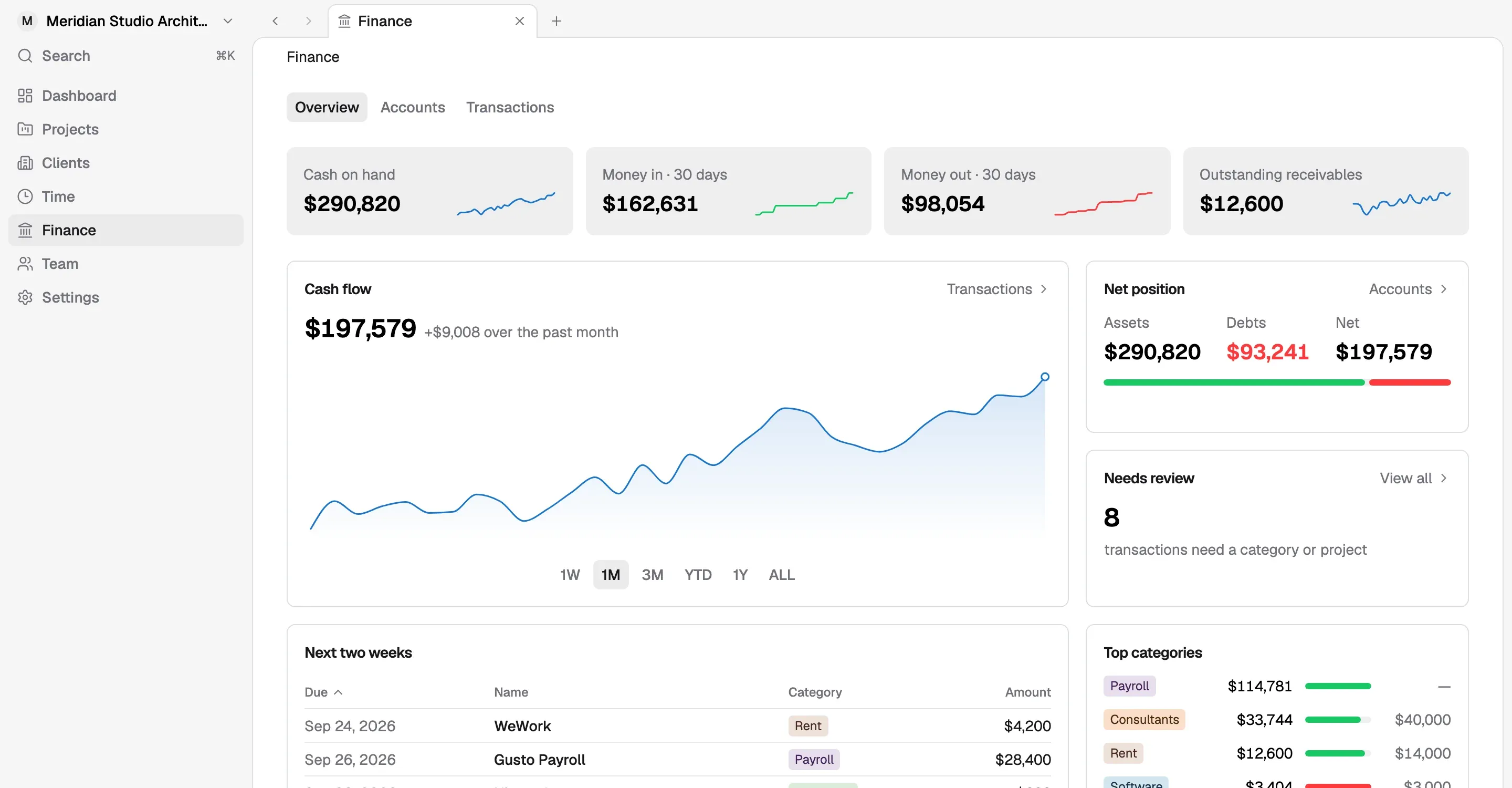
Outstanding and overdue invoices sit on the finance overview, next to cash.
An invoice starts from work that is already in Korrit. Approved billable hours for the billing period are pulled in by project and phase, and expenses matched to the project come in as reimbursables. You review the draft, adjust what needs adjusting, and send it. There is no end-of-month hunt through timesheets and card statements to work out what can be billed.
Fees are set per phase when the proposal is agreed, and those phase fees stay attached to the project. When it is time to bill, you invoice against them: a fixed fee for a completed phase, a portion of a phase that is underway, or hourly work for phases billed on time. A single invoice can combine these with reimbursables, which matches how many architecture agreements are actually written.
Percent-complete billing is common in AIA-style fee structures. Each phase has a fee, and each billing period the firm bills the share of that fee earned so far, less what has already been billed. If design development carries a $40,000 fee and is 60% complete, the firm has earned $24,000 on that phase, and the invoice covers whatever part of that has not been invoiced yet.
Korrit keeps the phase fees and progress on the project record, so a percent-complete invoice starts from numbers the team is already maintaining instead of a separate billing spreadsheet.
Yes. If your firm already keeps its books in QuickBooks, invoices and payments sync over, so your accountant keeps working in the ledger they know. Firms that do not need a separate ledger can manage operational finance directly in Korrit.
Outstanding and overdue invoices sit on the finance overview next to cash, so what clients owe is visible alongside what is in the bank. Principals can see which invoices need a follow-up without opening a separate report.
Fees, hours, and costs are tracked against each phase as the work happens, so you can act before a project goes over, not after.
Learn moreA fast weekly timesheet by project and phase. Every hour logged feeds budgets, invoices, and payroll automatically.
Learn moreSwitching to Korrit does not mean switching accountants. Invoices, payments, and categorized expenses sync over, so your books stay current.
Learn moreArchitects should be designing, not learning payroll or chasing receipts. Every Korrit feature shares the same projects, people, and numbers.